
Your wedding wish list
Make your wedding gifts as special as the day itself. With Wunschlist, skip the returns and boring cash envelopes!
Create your wish list now
Quick to join
Free to create
Easy to share
- Kostenlos
- Einfache Bedienung
- Übersichtliche Darstellung
Great gifts for your wedding
How to create your wedding wish list
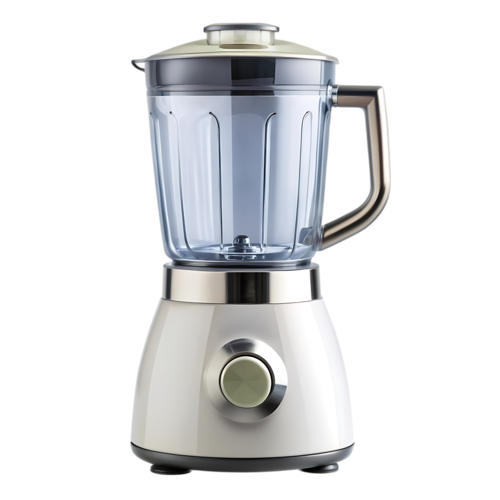
From weekend getaways to stand mixers: Create your wedding wish list and pick the gifts that make you happy.
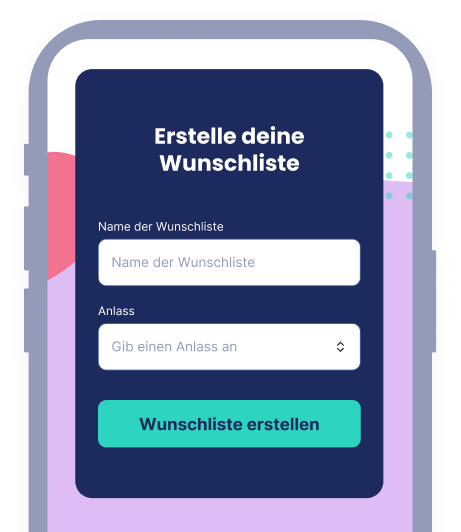
As easy as falling in love
1. Create your wedding wish list
First, give your wedding wish list a clear title. For example, "Our wedding wish list." That way all your guests know what it’s for. Add your wedding date as well. Next, select the "Wedding" occasion so our system categorizes your list correctly. Then create your free Wunschlist account. We designed the interface to be simple and easy to use. That way you can set things up fast and get back to planning your wedding.
- Free account
- Instant setup
- Easy to use
Because cash gifts are boring
2. Add your wishes
You have opted for something practical, romantic, or creative instead of cash gifts. Great! Let’s get to the good stuff: Add the items you’d like your guests to give to your wedding wish list. The easiest way is to copy a product link from any online store and paste it into the designated field on your list. Wunschlist works with all popular online stores. If you do not feel like searching, a short product description is enough. Our smart item detection identifies the product automatically.
- Add items easily via link
- Works with all popular online stores
- Smart product detection
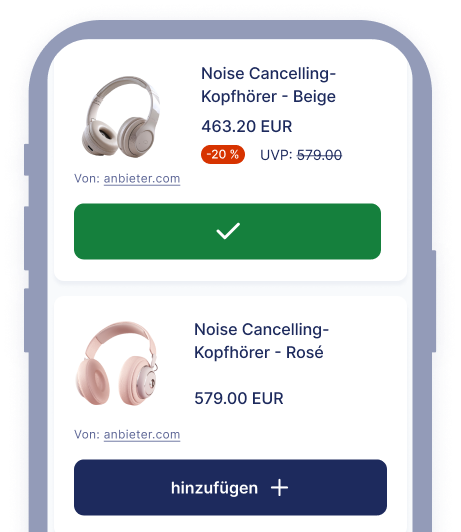
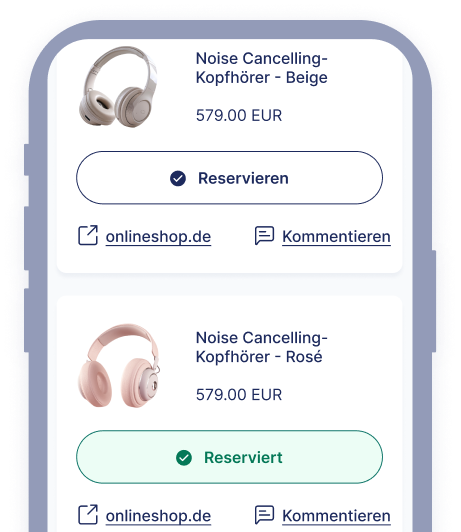
Bring on the guests, bring on the gifts
3. Share your wedding wish list
To make sure your wedding wishes come true, invite your guests to your wish list. Just copy the unique link from your list and send it via messaging apps, email, or social media. That gives everyone you invite instant access so they can leave comments and, most importantly, reserve items to gift. This way, no one has to resort to an awkward last-minute gift, and you won’t get duplicates.
- Easy sharing via link
- Comments and reservation features
- No more unwanted gifts
Flexible right up to the big day
4. Edit your wish list online
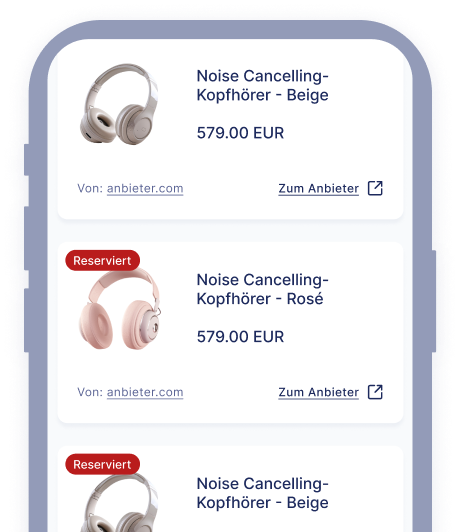
Anyone who has planned a wedding knows things can change right up to the big day. Staying flexible matters. That’s why our wedding wish lists let you update things whenever you need to, from inviting new guests to removing anyone who has to cancel on short notice. You can also add new wishes with ease. Thanks to notifications, you will know right away when someone reserves a gift.
- Edit your wish list anytime
- Add or remove guests
- Receive notifications
Create your wish list now
Quick to join
Free to create
Easy to share
Wunschlist highlights
The easiest way to create a wish list online
Create a wish list, share it with others, and enjoy seeing your wishes come true. It’s that simple. And Wunschlist does even more:
Set up in no time
Register and create your first wish list in under 2 minutes.
Edit your wish list
Edit, expand, or delete any wish—you’re always in control of your wish list.
Share your wish list
Use the share feature to let everyone know what you want. With Wunschlist, it’s especially easy via email, messaging apps, SMS, and many other services.
Get notifications
Stay informed: You’ll receive a notification each time a wish is reserved.
Personalize
Add a category and a description to your wish list. Make it even more personal by uploading a custom image.
More languages
Lieber auf Deutsch? Wunschlist is available in multiple languages. German is available now, with more coming soon.
What others wish for
Popular gifts on Wunschlist
Need inspiration? No problem. Here you’ll find the products our users are wishing for most right now. Simply add them to your wish list using the button.


Quick to join, free to create, easy to share
Your wedding wish list
Create your online wish list and share it with friends and family.
Create your wish list now